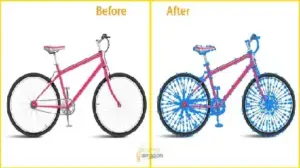
You’re losing sales—and your product images might be the reason. The difference between a clipping path and background removal can make or break your conversion rate.
One gives you pixel-perfect edges. The other gives you speed—but at a cost. If you choose wrong, your products look cheap, even if they are premium.
Picking the wrong editing method hurts your brand. E-commerce studies (including Shopify data trends) show that high-quality product images can improve conversions by up to 30–40%. You might be searching for an affordable clipping path service or ways to do background removal for free. But do you understand the technical precision required to rank on Page 1? By the end of this guide, you will know exactly which method fits your project.
Quick Comparison
- Clipping Path: Best for e-commerce products. Highest accuracy using manual paths.
- Background Removal: Best for speed and social media. Often uses AI automation.
- Image Masking: Best for hair, fur, or transparent objects. Handles complex details.
What is Clipping Path?
A clipping path is a manual image cut-out technique. It involves creating a closed vector shape or path around an object.
The Technical Difference: Manual vs. AI
Professional editors use the Pen Tool in Adobe Photoshop to draw these paths. This involves placing anchor points and manipulating Bézier curves.
Unlike AI, which uses raster-based edge detection, a clipping path is a vector-based process. This means:
- No Halo Effect: You won’t see bits of the old background bleeding through.
- Anti-aliasing Control: We ensure edges look smooth, not pixelated or “stair-stepped.”
- Sharpness: It captures every corner with 100% accuracy.
Clipping Path Example
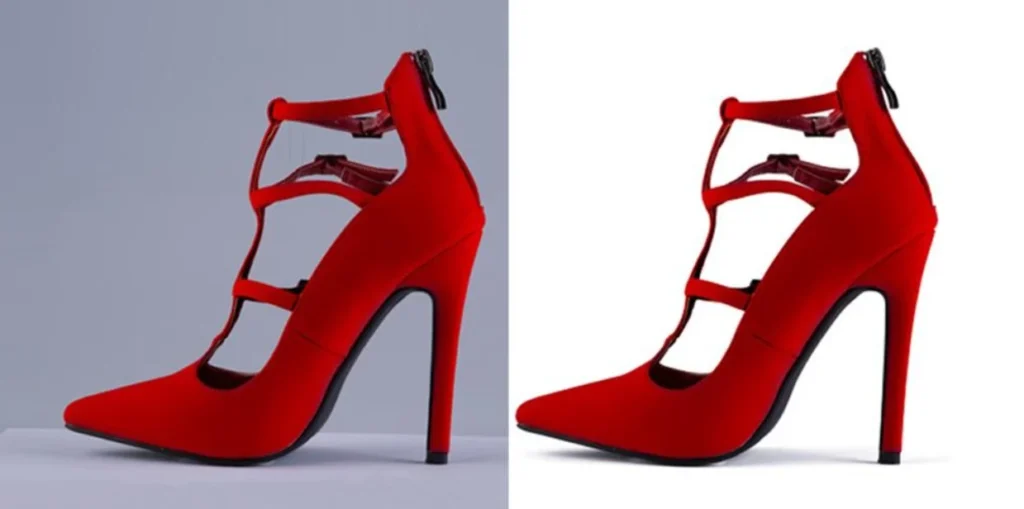
What to look for: Notice the sharp, clean edges on a leather boot or a plastic bottle. There are no blurry borders. The cut is “pixel-perfect” because a human guided the tool around every curve.
Why Businesses Prefer Clipping Path
Businesses choose this method when they need top-tier quality. It offers a level of detail that automated tools simply cannot match.
Pixel-Perfect Edges
The result is a crisp, clean edge. There are no jagged lines. This is essential for high-end product photography tips.
Essential for E-commerce Compliance
Amazon requires a pure white (#FFFFFF) background for all main product photos. This is a strict rule. Finding the best clipping path service provider ensures you meet these Amazon Image Requirements. Products with clean backgrounds see up to a 30% higher Click-Through Rate (CTR).
What is Background Removal?
Background removal is the process of isolating the main subject. You can then leave the background transparent or replace it with something new.
Background Removal for Free vs. Professional Editing
You can use AI tools like Remove.bg or Canva to perform background removal for free. These are great for quick social media posts.
However, these tools use algorithms that often struggle with complex edges. Professional services manually refine the edges, ensuring no part of your product is “eaten” by the software.
Background Removal Example
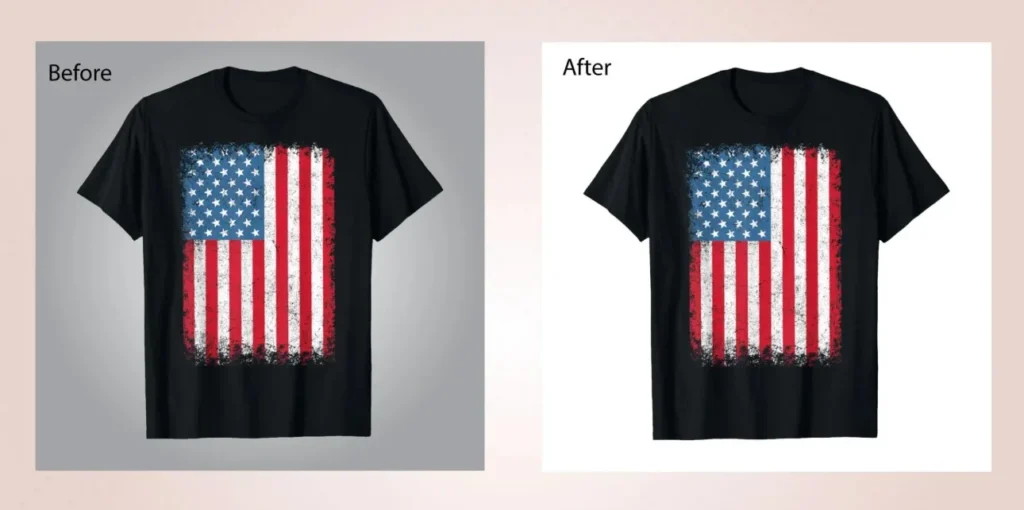
What to look for: In an AI-generated cut, look at the edges of a t-shirt. You might see “jagged” spots or missing details. It is fast, but often imperfect for e-commerce conversion optimization.
Clipping Path vs. Image Masking vs. Background Removal
To build true topical authority, you must understand the three-way split.
| Method | Best For | Accuracy | Difficulty |
| Clipping Path | Hard edges (Shoes, Boxes, Bottles) | Very High | Medium |
| Background Removal | Quick edits (Simple, flat shapes) | Medium | Easy |
| Image Masking | Complex edges (Hair, Fur, Smoke) | Ultra High | Hard |
Image Masking Example
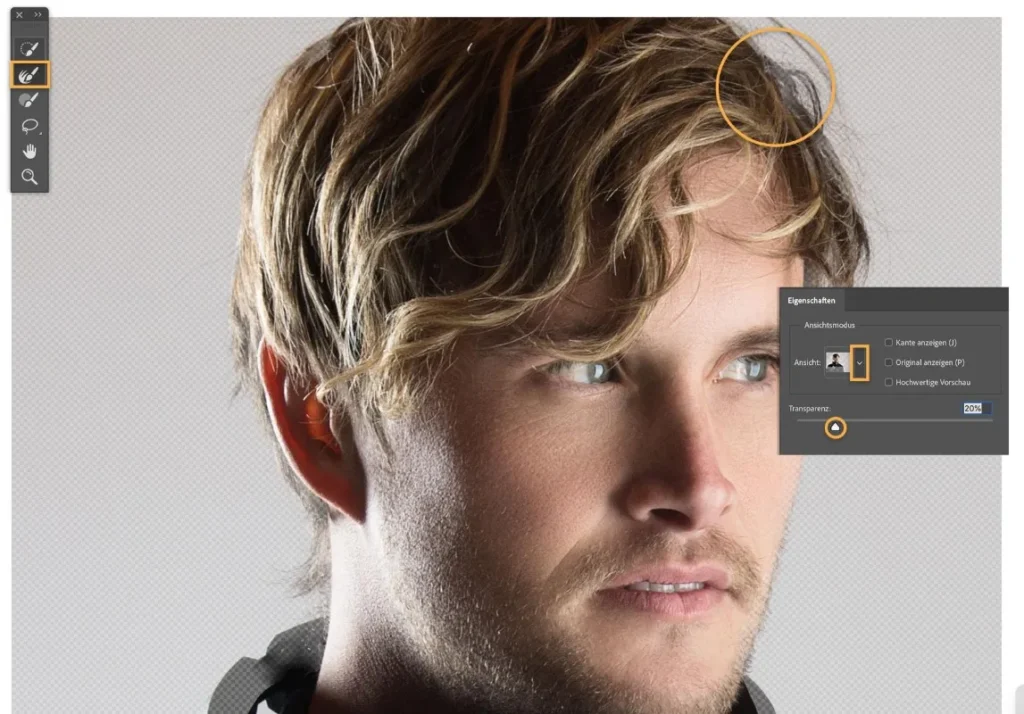
What to look for: Look at a model with curly hair. Masking preserves the individual strands and the “softness” of the hair. A clipping path would make the hair look like a solid, fake block.
Pro Insight: Why AI Still Fails at Precision
Even in 2026, AI tools like Remove.bg have limitations:
- Edge Detection Issues: If your product is white and the background is light grey, AI fails to find the boundary.
- Transparency Problems: AI cannot easily distinguish between glass and the background behind it.
- Low-Contrast Shadows: AI frequently deletes “contact shadows” that make a product look real.
Real Examples: Which Should You Choose?
- The Shoe (Clipping Path): Shoes have hard edges. A clipping path ensures a “sharp cut” that looks three-dimensional.
- The Model (Image Masking): For flowing hair, you need masking to preserve detail.
- The Jewelry (Clipping Path): Jewelry is reflective. You need manual anchor points to distinguish the product from the background shine.
How Professionals Actually Edit Your Images
To ensure high-quality results, we follow a professional workflow:
- Image Analysis: Identifying if the object needs a vector path or a raster mask.
- Path Creation: Manual Pen Tool placement in Adobe Photoshop for 100% accuracy.
- Edge Refinement: Removing “color bleed” to ensure the subject looks natural.
- Quality Check: A final human review to ensure it meets marketplace standards.
Common Mistakes to Avoid
- Using free tools for complex images: AI often misses thin parts of the subject.
- Ignoring edge quality: Jagged edges lower customer trust instantly.
- Choosing the cheapest service: Low-cost providers often use “magic wand” tools instead of manual paths.
Why Choose a Professional Service?
While tools like Canva offer background removal for free, they cannot scale. A professional studio delivers:
- Expertise: 175+ Designers who understand Bézier curves.
- Scale: Ability to process 4,000+ images daily.
- Reliable Support: 24/7 coverage and a manual editing guarantee.
Quick Decision Guide
- Does your product have hard, solid edges? → Use Clipping Path.
- Is the image for a quick social post? → Use Background Removal.
- Does the subject have hair, fur, or transparency? → Use Masking.
Get Professional Clipping Path & Background Removal Services
Still struggling with blurry edges and inconsistent product images? Your brand deserves better than automated shortcuts.
Let our expert designers deliver pixel-perfect edits. We make your products look premium so they convert more.
Upload 1 image and get a free manual clipping path sample within 24 hours. Experience the difference of manual editing with 24/7 support.
FAQ
Is clipping path better than background removal for Amazon?
Yes. A clipping path provides the sharpest edges, which is the gold standard for meeting Amazon’s strict white background requirements.
Can I use free background removal tools for e-commerce?
You can, but it is risky. Tools like Remove.bg are fast, but they often leave “artifacts” or jagged edges that can make your store look unprofessional.
What is the difference between a clipping path and masking?
A clipping path is for hard-edged objects (like a chair). Masking is for soft, complex edges (like a wool sweater or a person’s hair).
What is the best clipping path service provider?
The best clipping path service provider is one that uses manual Adobe Photoshop techniques, has a large team to handle bulk orders, and provides a free trial.
How much does a clipping path cost?
Pricing is based on complexity. Most businesses find that an affordable clipping path service pays for itself through higher conversion rates and fewer returns.