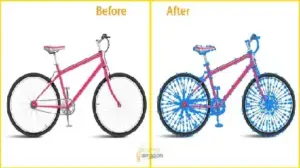
If you sell online, your product images decide everything.
Before a visitor reads your description, they see your photos. In eCommerce, listings with high-quality images get up to 94% more views than poor visuals. That is not a design opinion. That is buyer behaviour.
This is why the question matters:
Photoshop vs Lightroom: Which is better for product editing?
By the end of this guide, you will clearly know:
- Which software gives cleaner product photos faster?
- Which tool is best for eCommerce, Amazon, Shopify, and catalogues?
- How professionals actually use Photoshop and Lightroom together
- Which one saves more time and money for your workflow?
This is not theory. This is practical product-editing reality.
Why Product Editing Software Choice Matters in 2026
Product photography is no longer optional.
More than 75% of online shoppers say product images strongly influence buying decisions. Blurry, poorly edited photos reduce trust instantly.
Good editing software helps you:
- Increase click-through rate.
- Improve conversion rate.
- Reduce product returns.
- Build brand credibility.
The wrong software wastes hours and still delivers weak results.
That is why understanding Photoshop vs Lightroom for product editing is critical.
Understanding the Core Difference Between Photoshop and Lightroom
Before comparing features, you must understand their purpose.
Adobe created both tools for different types of work.
| Feature | Photoshop | Lightroom |
|---|---|---|
| Main purpose | Pixel-level editing | Photo management + global editing |
| Best for | Retouching, manipulation | Color correction, batch edits |
| Learning curve | Steep | Easy |
| Speed | Slower | Faster |
| Precision | Extremely high | Medium |
Photoshop is a surgical tool.
Lightroom is a production machine.
Photoshop vs Lightroom: Which Is Better for Product Editing?
This depends on what kind of product editing you do. There is no universal winner. Each tool dominates specific tasks.
Let us break it down properly.
Photoshop for Product Editing: Strengths and Real Use Cases
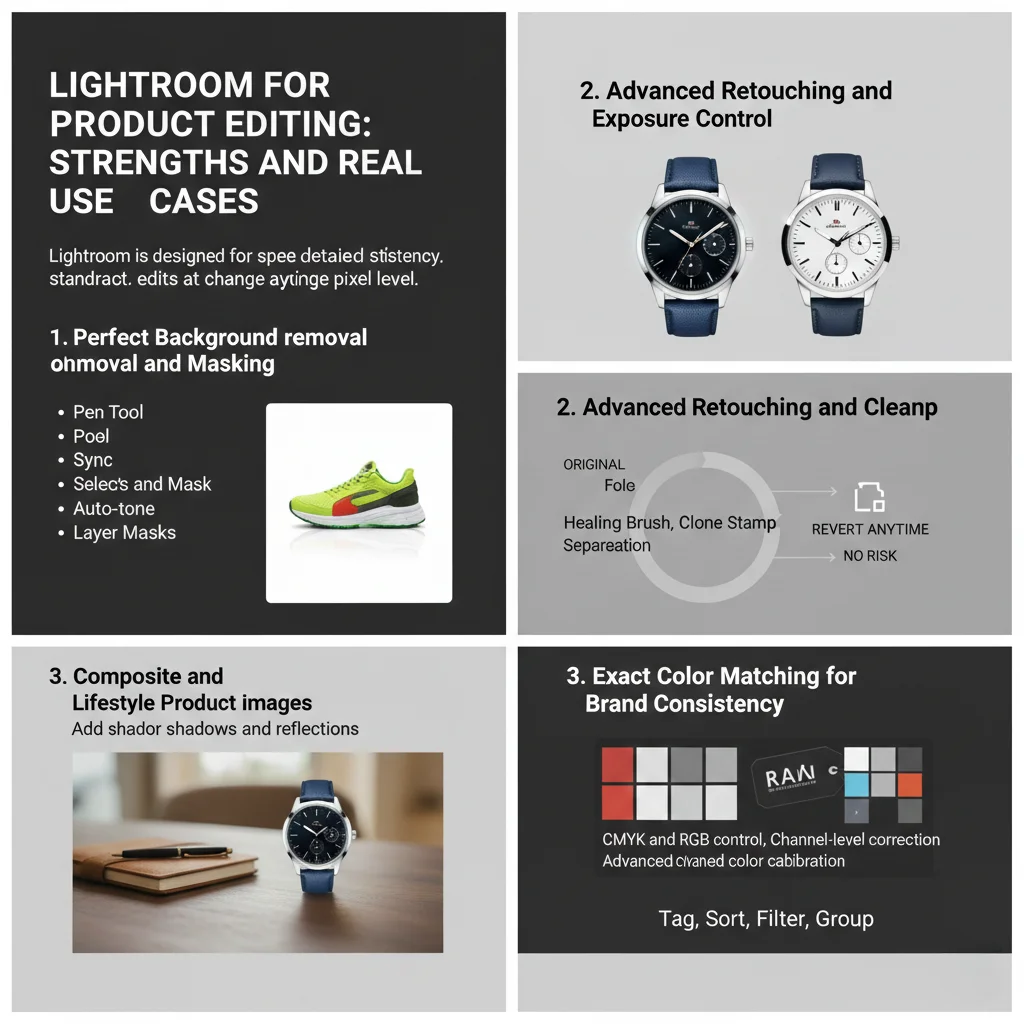
Photoshop is the industry standard for detailed image manipulation. It edits at the pixel level.
This means you can change anything inside a photo.
1. Perfect Background Removal and Masking
For eCommerce, background quality is critical. Amazon requires pure white (#FFFFFF) backgrounds. Photoshop excels here.
With tools like:
- Pen Tool
- Select and Mask
- Layer Masks
You can isolate products with hair-level accuracy.
Lightroom cannot do this properly.
2. Advanced Retouching and Cleanup
Photoshop allows:
- Dust removal
- Scratch repair
- Reflection control
- Fabric smoothing
- Product reshaping
Using tools like:
- Healing Brush
- Clone Stamp
- Frequency Separation
This is essential for:
- Fashion products
- Jewelry
- Cosmetics
- Electronics
Lightroom only offers basic spot removal.
3. Composite and Lifestyle Product Images
Photoshop is required when you need to:
- Place products in scenes.
- Add shadows and reflections.
- Create banner graphics.
- Build ad creatives.
Lightroom cannot combine multiple images.
Photoshop is unmatched here.
4. Exact Color Matching for Brand Consistency
Brands demand accurate colors.
Photoshop provides:
- CMYK and RGB control
- Channel-level correction
- Advanced color calibration
This matters for:
- Clothing brands
- Packaging design
- Print catalogs
Lightroom offers good color tools, but not this level of control.
Lightroom for Product Editing: Strengths and Real Use Cases
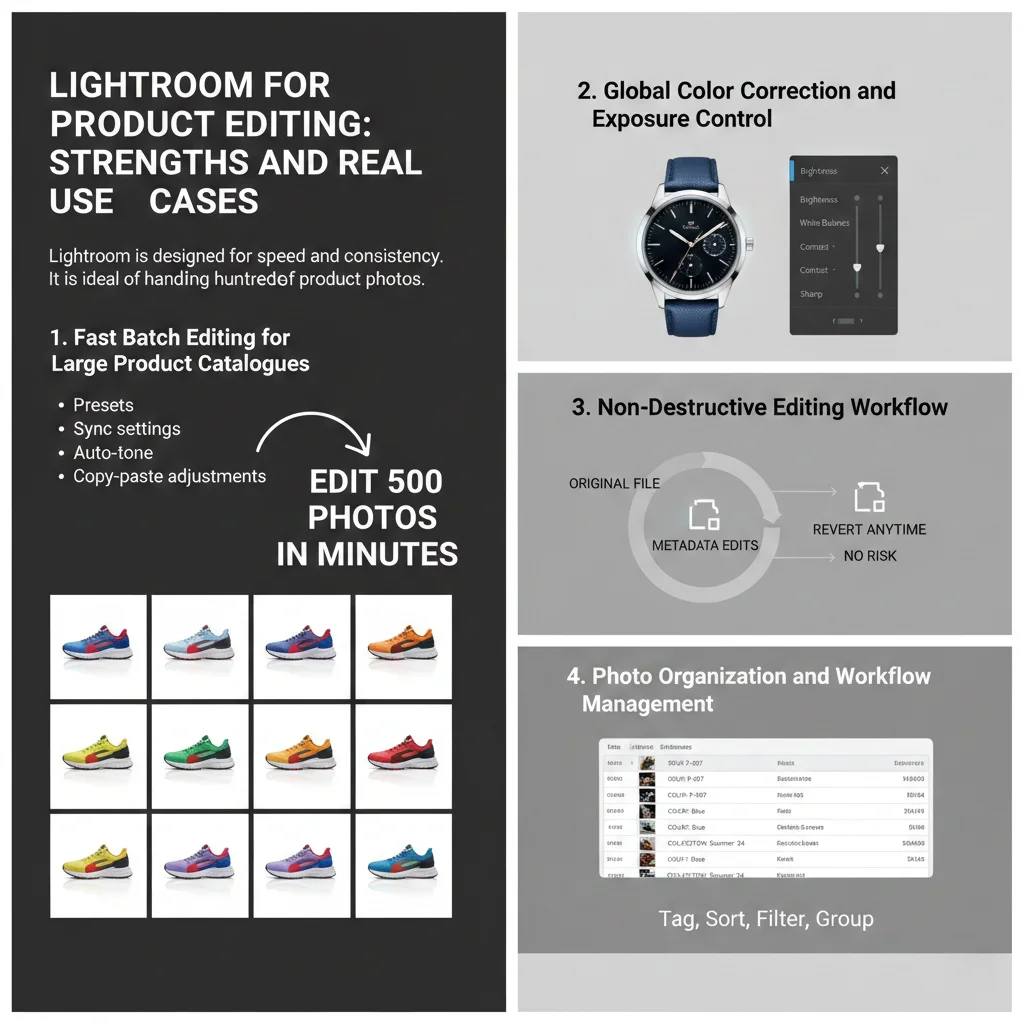
Lightroom is designed for speed and consistency.
It is ideal for handling hundreds of product photos.
1. Fast Batch Editing for Large Product Catalogues
This is where Lightroom dominates.
You can edit 500 photos in minutes.
Features include:
- Presets
- Sync settings
- Auto-tone
- Copy-paste adjustments
For stores uploading daily products, this saves massive time.
Photoshop cannot match this speed.
2. Global Color Correction and Exposure Control
Lightroom is excellent for:
- Brightness balance
- White balance correction
- Contrast tuning
- Sharpness control
Its sliders are intuitive and precise enough for most products.
For basic product editing, Lightroom is more than sufficient.
3. Non-Destructive Editing Workflow
Lightroom never touches your original file.
All edits are stored as metadata.
This means:
- You can revert anytime
- No risk of image damage
- Perfect for beginners
Photoshop overwrites files unless you manage layers carefully.
4. Photo Organization and Workflow Management
Lightroom is also a photo database.
You can:
- Tag products
- Sort by SKU
- Filter by color
- Group by collection
Photoshop has no asset management system.
For large stores, this matters more than editing power.
Photoshop vs Lightroom for eCommerce Product Editing
Let us compare them directly for real online store needs.
| Task | Better Tool | Why |
|---|---|---|
| White background | Photoshop | Precise masking |
| Bulk color correction | Lightroom | Fast batch tools |
| Amazon product images | Both | Lightroom first, Photoshop final |
| Jewelry retouching | Photoshop | Micro-level cleanup |
| Shopify catalog uploads | Lightroom | Speed and consistency |
| Lifestyle banners | Photoshop | Graphic control |
Professionals do not choose one.
They combine both.
Professional Workflow: How Experts Use Photoshop and Lightroom Together
Top eCommerce studios follow a hybrid workflow.
This is the industry standard.
Step 1: Batch Processing in Lightroom
First, they import all RAW files into Lightroom.
They apply:
- Exposure correction
- White balance
- Contrast tuning
- Sharpening
This handles 80% of editing work quickly.
Step 2: Send Key Images to Photoshop
Only important images go to Photoshop.
Usually:
- Main product images
- Hero banners
- Ads
Here they perform:
- Background removal
- Retouching
- Shadow creation
This saves time and cost.
Step 3: Final Export from Lightroom
Edited Photoshop files return to Lightroom.
All images are exported in bulk:
- JPEG for web
- PNG for marketplaces
This combined workflow is 40–60% faster than using Photoshop alone.
Learning Curve: Photoshop vs Lightroom for Beginners
Time is money.
Learning speed matters.
| Skill Level | Lightroom | Photoshop |
|---|---|---|
| Beginner | Easy | Hard |
| Intermediate | Moderate | Steep |
| Expert | Limited | Unlimited |
Most sellers become productive in Lightroom within 3–5 days.
Photoshop often takes 3–6 weeks to master properly.
System Requirements and Performance Comparison
Editing speed affects daily productivity.
Lightroom is lighter.
Photoshop is heavier.
| Requirement | Lightroom | Photoshop |
|---|---|---|
| RAM usage | Lower | Higher |
| CPU load | Medium | High |
| GPU need | Optional | Recommended |
On mid-range laptops, Lightroom runs smoother.
Photoshop benefits from high-end machines.
Pricing Comparison: Photoshop vs Lightroom
Adobe offers them in bundles.
Current typical plans:
- Photography Plan: Lightroom + Photoshop ≈ $9.99/month
- Single App Photoshop ≈ $20.99/month
For most product editors, the Photography Plan gives the best value.
You get both tools at the price of one.
SEO and Marketing Impact of Better Product Editing
Clean product images improve more than looks.
They directly affect SEO and ads.
High-quality images help:
- Increase time on page
- Reduce bounce rate
- Improve Google image search visibility
Stores using professional images report:
- Up to 30% higher conversion rates
- Up to 25% lower return rates
Your editing software choice affects revenue.
When Lightroom Alone Is Enough
Lightroom is perfect if you:
- Sell simple products.
- Use studio white backgrounds.
- Upload large catalogues.
- Do minimal retouching.
Examples:
- Phone accessories
- Books
- Home tools
For these stores, Lightroom handles 90% of needs.
When Photoshop Is Absolutely Necessary
You must use Photoshop if you:
- Sell fashion or jewellery.
- Create advertising creatives.
- Need perfect cutouts
- Build composite images.
In these cases, Lightroom alone is not enough.
Photoshop vs Lightroom: Which Is Better for Product Editing Overall?
Here is the honest answer.
Lightroom is better for speed and volume.
Photoshop is better for precision and perfection.
For professional product editing, the real winner is:
Photoshop + Lightroom together.
This combination gives:
- Speed from Lightroom
- Power from Photoshop
That is why studios worldwide use both.
Best Choice by Business Type
| Business Type | Best Option |
|---|---|
| Amazon seller | Lightroom + Photoshop |
| Shopify store | Lightroom first, Photoshop when needed |
| Dropshipper | Lightroom |
| Brand advertiser | Photoshop + Lightroom |
| Product photographer | Both |
Related Guides You May Find Helpful
To improve your workflow further, you may also explore:
- Best Lightroom presets for eCommerce product photography
- How to remove backgrounds perfectly for Amazon product images
- Complete guide to product photo optimization for Shopify stores
These topics connect directly to your editing results and sales growth.
Final Verdict
If you must choose only one:
- Choose Lightroom for speed and simplicity.
- Choose Photoshop for advanced editing control.
If you want professional results:
Use both.
This is the same workflow used by global eCommerce brands.
FAQ
1. Is Photoshop better than Lightroom for product editing?
Photoshop is better for detailed retouching and background removal. Lightroom is better for fast batch editing. Professionals use both.
2. Can Lightroom replace Photoshop for eCommerce images?
Lightroom can handle basic corrections, but it cannot replace Photoshop for precise cutouts, retouching, and composites.
3. Which is easier for beginners, Photoshop or Lightroom?
Lightroom is much easier. Most beginners learn it in under one week. Photoshop requires longer practice.
4. Do Amazon sellers need Photoshop or Lightroom?
Amazon sellers benefit from using both. Lightroom speeds up bulk edits. Photoshop ensures perfect white backgrounds.
5. Which software is faster for editing 100 product photos?
Lightroom is significantly faster. Batch editing can reduce processing time by over 70%.
6. Is Photoshop necessary for Shopify product images?
Only if you need advanced retouching or creative banners. For simple catalog photos, Lightroom is enough.
7. Which gives better image quality, Photoshop or Lightroom?
Both produce equal quality. The difference is control, not output quality.
8. Can I use Lightroom presets for product photography?
Yes. Presets speed up workflow and maintain consistent brand visuals across catalogues.
9. What do professional product photographers use?
They use Lightroom for bulk processing and Photoshop for precision editing.
10. Should I learn Photoshop or Lightroom first?
Start with Lightroom. Then add Photoshop when your editing needs grow.