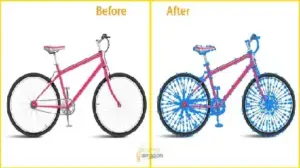
2026 AI vs. Human Editing Battle: Why 90% of AI Background Removal Fails
First impressions happen in milliseconds. In eCommerce, your image is your handshake. If your product background is messy, customers bounce.
Many sellers think AI is a magic wand. It isn’t. Industry reports show that automated tools in 2026 still struggle with:
- Edge Detection Limits: AI often “eats” the product edges.
- Hair & Fur Complexity: Fine details become a blurry mess.
- Transparency Issues: AI fails to handle glass or mesh correctly.
Here’s the problem most sellers ignore: Cheap image cutout services often leave “pixel ghosts.” These small errors scream “unprofessional.” To win, you need a professional photo background removal strategy that blends speed with human-eye precision.
The ROI of High-Quality Background Removal:
- 40% Conversion Lift: Clean images directly increase sales.
- Lower Return Rates: Accurate photos mean fewer complaints.
- 93% Influence: Visual appearance is the top factor in buying decisions.
- 300% Speed Boost: Optimized images improve page load times.
What is a Background Removal Service?
A background removal service is a professional image-editing process in which the subject is isolated from its background using techniques such as clipping paths and masking. This allows businesses to create clean, high-converting product images for eCommerce platforms like Amazon and Shopify, ensuring 100% focus on the product itself.
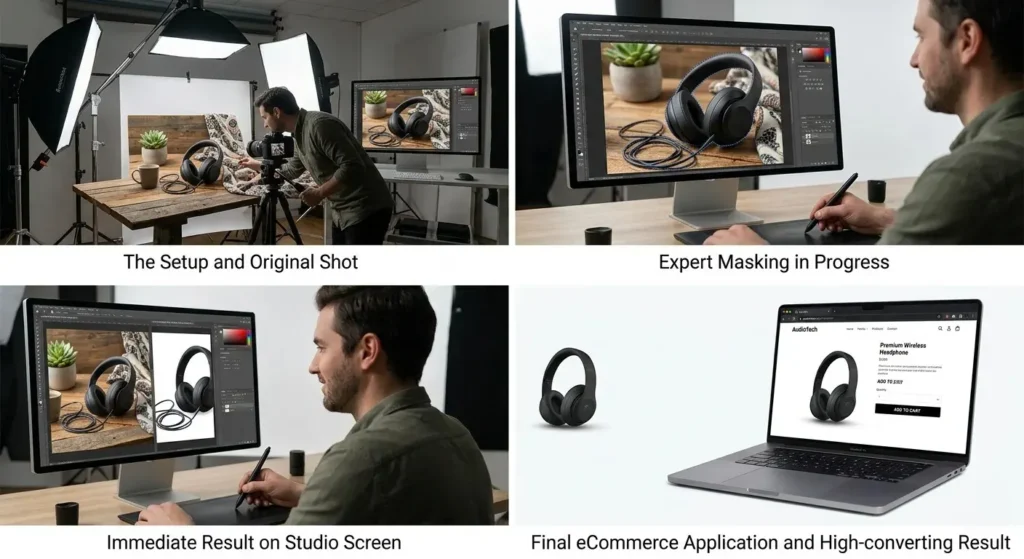
This process is the foundation of any elite e-commerce or product image-editing service workflow. By having experts remove image backgrounds online, you eliminate distractions. You highlight your product’s best features.
AI vs. Manual Background Removal (2026 Comparison)
Why does manual editing still win? This table shows why humans beat bots for professional work:

| Feature | AI Tools (Auto) | Manual Editing (Pro) |
| Accuracy | Medium (Fuzzy edges) | High (Pixel-Perfect) |
| Fine Detail | Poor/Deleted | Perfectly Preserved |
| Consistency | Varies by photo | 100% Uniform Catalog |
| Best Use | Social Media Drafts | Amazon, Shopify & Print |
Best Practices for High-Quality Background Removal
To achieve a “10/10” look for your white background product images, follow these industry standards:
- Zoom to 200%: Always refine edges at high magnification to catch pixel leaks.
- Maintain Consistent Margins: Ensure every product has the same “breathing room” in the frame.
- Use Natural Shadows: Avoid fake-looking drop shadows; utilize our shadow creation services for realistic results.
- Never Rely 100% on AI: Always have a human editor verify the final path.
Which Background Removal Tool Should You Use?
Not all tools are created equal. Here is who should use what:
- Adobe Photoshop: Best for Professionals. Necessary for high-end e-commerce product photography editing.
- Remove.bg: Best for Quick Drafts. Great for social media mockups.
- Canva: Best for Social Media. Good for adding basic text to cutouts.
PNG vs. JPG vs. WebP: Which Format is Best?
Choosing the right format is a hidden ranking factor.
| Format | Transparency | Best For |
| PNG | Yes | High-quality bulk photo editing service exports |
| JPG | No | Basic product photos where size isn’t a priority |
| WebP | Yes | SEO & Page Speed optimization (Recommended) |
Image SEO & Optimization for eCommerce
This is where AI breaks down—optimization. Follow these rules for better rankings:
- Use WebP Format: It’s 30% smaller than PNG.
- Keep File Size Under 100KB: Faster load times improve SEO.
- Descriptive Filenames: Use product-name-white-background. webp instead of IMG_123.jpg.
- Keyword-Rich ALT Text: Describe the image using terms like “professional photo background removal.”
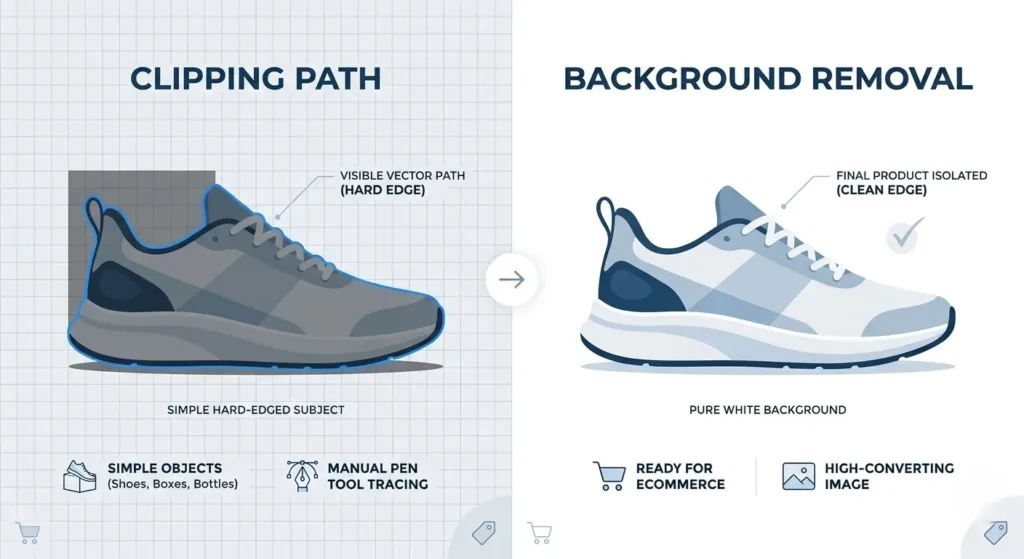
Clipping Path vs. Background Removal: The Difference
Many people use these terms interchangeably, but they differ:
- Clipping Path: A manual vector path. Our clipping path services ensure clean, sharp edges for hard objects.
- Background Removal: The final result. For complex subjects, our image masking services are essential to preserve fine details.
Amazon Image Requirements
According to eCommerce studies, missing these rules can lead to listing suppression:
- Pure White Background: RGB (255, 255, 255).
- 85% Product Coverage: The product must dominate the frame.
- Zero Watermarks: Strictly banned.
- Pro Tip: Use manual paths to prevent jagged edges when using the “zoom” feature.
Why Consistency Matters in Bulk Image Editing
Large brands win because of uniformity. When you use a bulk photo editing service, you get:
- Uniform Spacing: Each product is centered.
- Same Shadow Direction: Prevents your catalog from looking messy.
- Identical Alignment: Creates a professional “grid” look on Shopify or Amazon.
When Should You Outsource Background Removal?
Don’t let editing become a bottleneck. Outsource when:
- Bulk Images (100+): Manual editing takes too much internal time.
- Complex Edges: You have products with hair, fur, or glass.
- Tight Deadlines: You need a 24-hour turnaround.
Case Study: Before vs. After Results
A fashion client implemented our professional workflow. The results:
- +35% CTR: More people clicked their clean, white-background ads.
- +20% Conversion: Customers trusted the professional, uniform catalog.
- Cleaner Branding: Their site looks high-end and trustworthy.
Background Removal Service Pricing (2026)
The background removal service price depends on complexity:
| Complexity Level | Typical Items | Price (USD) |
| Simple | Bottles, Books, Boxes | $0.25 – $0.50 |
| Medium | Shoes, Clothes, Watches | $0.50 – $1.50 |
| Complex | Bicycles, Jewelry, Models | $2.00 – $5.00 |
Common Background Removal Mistakes to Avoid
- Jagged Edges: Signs of poor manual paths.
- Halo Effect: A thin line of the old background stays.
- Wrong Shadows: Realistic results require proper shadow creation services to avoid a “fake” look.
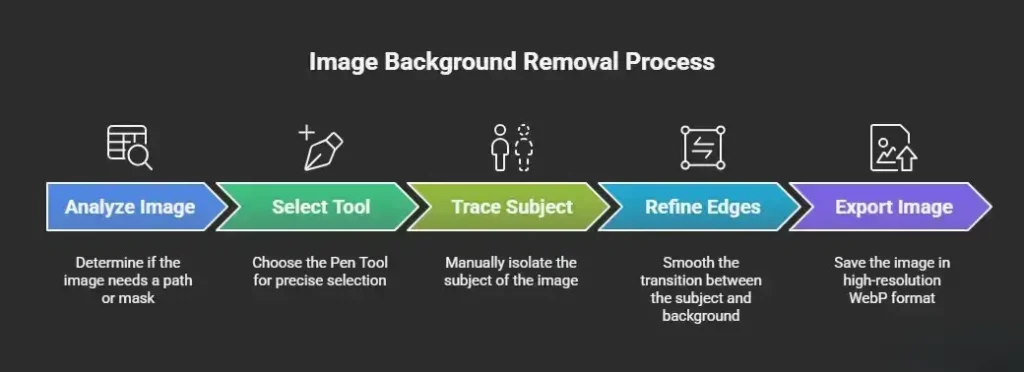
Step-by-Step Background Removal Process (Pro Workflow)
To remove background from image files like a pro:
- Analyze Image: Path or mask?
- Select Tool: Use the Pen Tool for precision.
- Trace Subject: Manually isolate.
- Refine Edges: Smooth the transition.
- Export: Save as a high-res WebP.
FAQs
How long does background removal take?
Most orders take 6 to 24 hours. Small orders can be delivered in as little as 3 hours.
Can background removal improve SEO rankings?
Yes. Optimized WebP images improve page speed, and clean visuals increase CTR—both are key ranking signals.
Do I need a white background for all images?
For main listing photos on marketplaces, yes. For lifestyle shots, transparency works better.
Final Thoughts
Still using low-quality images? You’re losing sales every day. In 2026, using a professional background removal service is an investment in your brand’s trust. Clean images drive more clicks and higher revenue.
Upgrade to pixel-perfect editing today.
👉 Start Your Free Trial | Get a Custom Quote