What is white background product photography?
It is the process of capturing products against a solid, colorless backdrop, removing distractions, and it places 100% focus on the item you are selling.
Why does a white background increase sales?
Research shows 75% of online shoppers rely on photos to make a purchase. A white background builds instant trust. It meets strict rules for marketplaces like Amazon. It also follows the official Google Merchant Center Guidelines. This leads to higher click-through rates (CTR) and more sales.
Why White Background Product Photography Increases Sales
1. Removes Distractions
A white background ensures there are no messy shadows. There are no busy patterns. The customer sees the product and nothing else.
2. Improves Product Clarity
Clean photography highlights textures and edges. Using a professional photo retouching service makes the item look its best. It stays honest and high-quality.
3. Speeds Up Buying Decisions
Standardized images make your catalog look uniform. This feels professional. It reduces “buyer friction” and leads to faster checkouts.
Real Case Study: 25% CTR Boost for Women’s Activewear Brand
We recently helped a women’s activewear brand scale its Shopify store. They were struggling with high bounce rates.
- The Problem: They used inconsistent outdoor lifestyle shots. The lighting varied too much.
- The Change: Within 30 days, we moved their catalog to a standardized white background. We used a clipping path service for pixel-perfect edges.
- The Result: Their CTR jumped by 25% in the first month. Sales increased by 12% because fabric details were finally visible.
White Background vs. Lifestyle vs. Transparent
| Feature | White Background | Lifestyle | Transparent (PNG) |
| Best For | Amazon / Google | Social Media | Graphic Design |
| Conversion | Very High | Moderate | N/A |
| Goal | Direct Sales | Storytelling | Versatility |
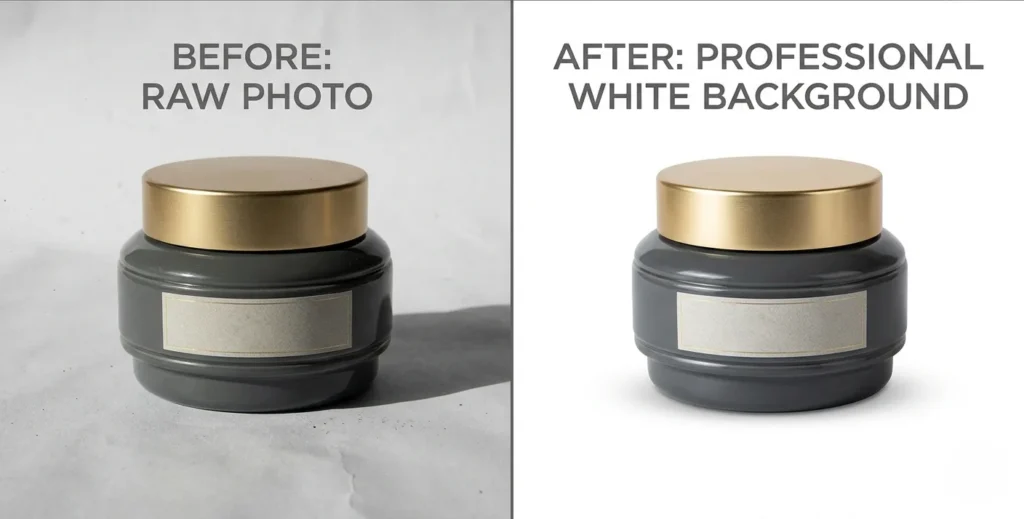
How to Shoot Product Photography on White Background (Step-by-Step)
Pro Camera Settings
To avoid “grey” backgrounds, control your camera manually:
- ISO: 100–200 (Low noise).
- Aperture: f/8 to f/11 (Deep focus).
- Shutter Speed: 1/125 or slower (Use a tripod).
- White Balance: Set to “Flash” or “Daylight.”
Essential Setup Checklist
✔ Lighting: Two softboxes positioned at 45° angles.
✔ Stability: Use a tripod to eliminate camera shake.
✔ Background: A seamless white sweep (paper or vinyl).
✔ Format: Shoot in RAW for the product photo retouching process.
✔ Framing: Leave enough white space for easy image masking.
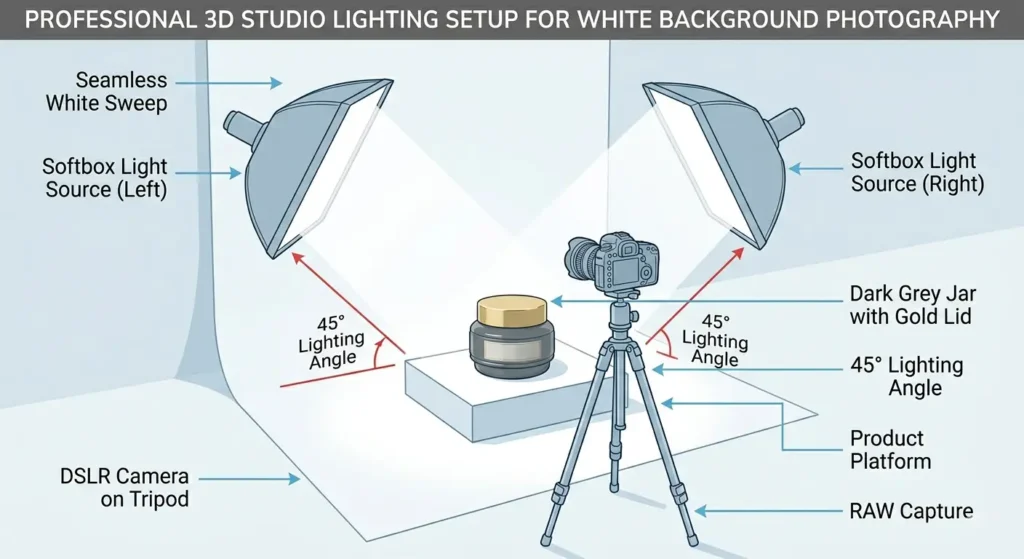
White Background Photography for Different Products
Every item needs a unique touch to rank well:
- Clothing: Use the ghost mannequin photography guide to create 3D effects.
- Jewelry: Use a light tent to manage difficult reflections.
- Electronics: Focus on high contrast to highlight buttons and ports.
- Glass: Use “backlighting” to define the edges clearly.
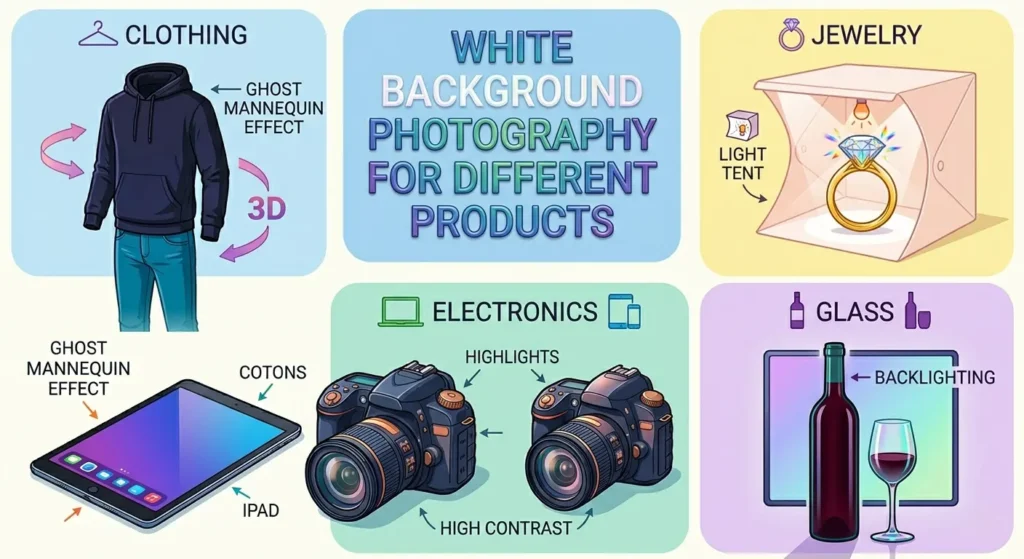
Image Size & SEO Optimization
To rank in Google Images and speed up your Shopify store:
- Dimensions: Minimum 1000 x 1000 pixels.
- File Format: Use JPEG for product pages; PNG for logos.
- Compression: Use e-commerce image optimization tips to keep files under 200KB.
- Alt Text: Use descriptive keywords like “luxury-watch-on-white-background.”
Pro Tip: Faster images improve page speed. This helps your site rank higher on Google.
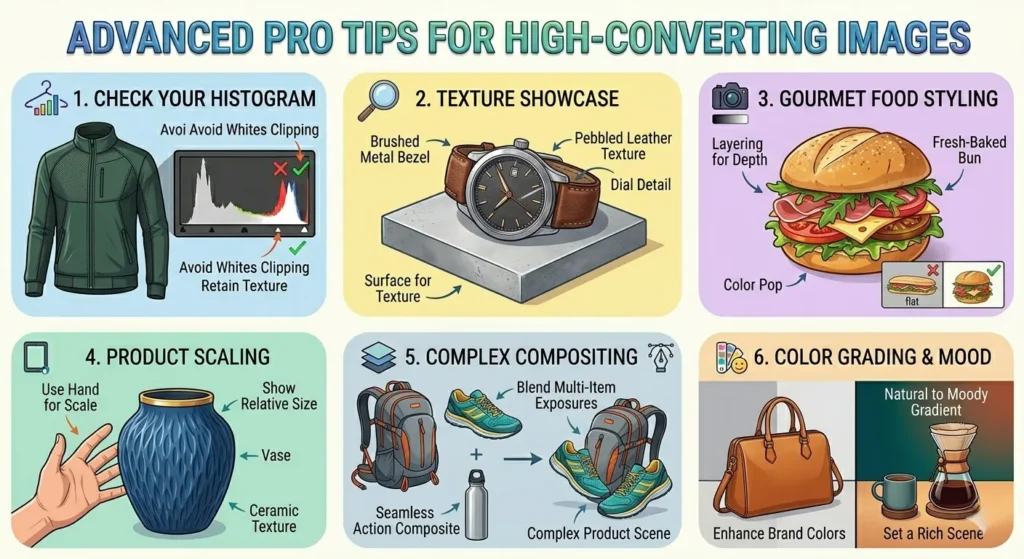
Advanced Pro Tips for High-Converting Images
- Check Your Histogram: Ensure your whites aren’t “clipping.”
- Use Gradient Shadows: Hard shadows look cheap. Soft shadows add a premium feel.
- Reflection Technique: Place acrylic under the product for a high-end look.
Platform-Specific Image Rules
Each platform has strict requirements. Follow the official Amazon Image Requirements to stay visible:
- Amazon: Requires pure white background ($255, 255, 255$ RGB).
- Shopify: Recommends 1:1 square ratios.
- Etsy: Allows slightly off-white or natural textures.
- Google Shopping: Recommends zero watermarks.
Common Photography Mistakes to Avoid
- Uneven Lighting: Leads to dark spots.
- Grey Backgrounds: Caused by underexposure.
- Over-Editing: Don’t make the product look fake. It leads to returns.
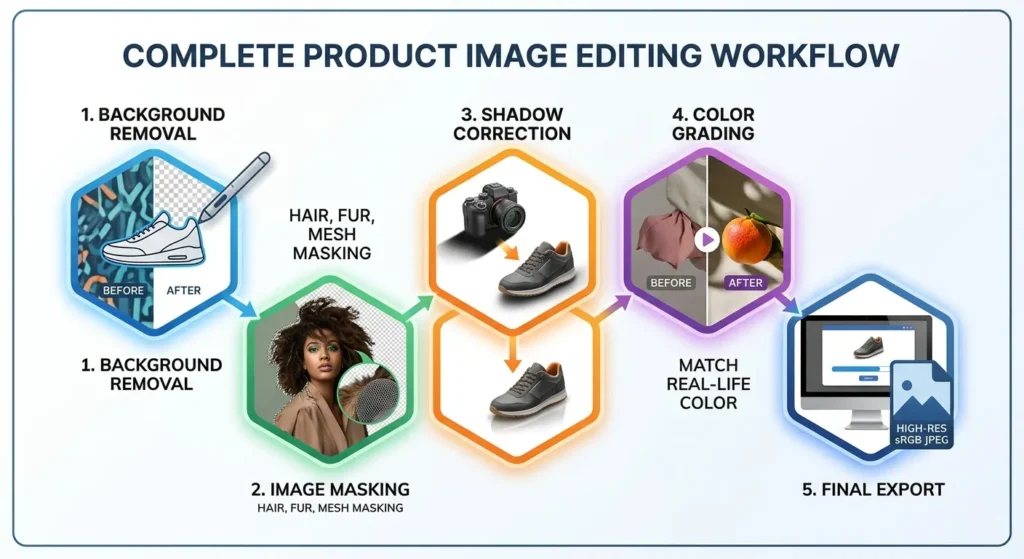
Complete Product Image Editing Workflow
- Background Removal: Use a manual pen tool.
- Image Masking: For hair, fur, or complex mesh.
- Shadow Correction: Add a natural drop shadow.
- Color Grading: Match colors to the real-life item.
- Final Export: Save as high-res sRGB JPEG.
DIY vs. Professional: A Cost Breakdown
| Aspect | DIY Setup | Professional Service |
| Cost | $200 – $500 (Gear) | $1 – $5 per image |
| Time | High | Low (Outsourced) |
| ROI | Good for startups | Best for scaling brands |
FAQ
Why is a white background best for product photography?
It removes distractions and highlights details. Also, it is the standard for Amazon.
Do white backgrounds increase conversion rates?
Yes. Clean imagery reduces “choice fatigue.” It builds buyer trust.
Can I use a phone for product photography?
Yes. Use a tripod. Use a professional background removal service for the best results.
What is the difference between a clipping path and image masking? Check our clipping path vs image masking guide to see which suits your product.
Final Thoughts
White background product photography is the backbone of e-commerce success in 2026. It builds trust, satisfies search bots, and directly increases revenue.
Looking to boost your store’s performance? Download our free 10-point Product Photography Checklist.
Ready to level up your catalog? Get your first 5 images edited for FREE and see the difference.
Contact us today to claim your free trial!