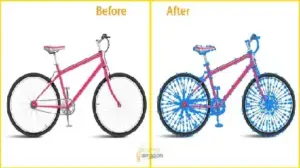
Studies show that poor product images can reduce conversions by up to 40%. In 2026, transparent background product images are no longer optional—they are essential for e-commerce success. You upload a photo, and the sales don’t come. Often, the culprit is a cluttered background. Online shoppers have zero patience for poor visuals.
In our experience editing over 50,000 ecommerce images, the most common issue we see is poor edge refinement. This guide moves from basic removal to advanced scaling. You will learn how to stop wasting your budget and start growing your ROI with professional product photo editing.
Definition Box: What is a Transparent Background?
A transparent-background product image is a PNG or WebP file in which the background is removed using an alpha channel. This allows the product to be placed on any backdrop without visible edges or “white boxes.” This is a core part of a high-quality clipping path service.
Why Transparent Background Images Matter in 2026
The data is clear: clean images lead to higher trust. When your product “pops,” your conversion rates climb.
- Brand Consistency: Maintain a uniform look across Shopify, Amazon, and Instagram.
- Mobile-First Design: Busy backgrounds distract mobile users. Clean images load faster.
- Multi-Platform Usability: One file works for website banners, email ads, and social media.
📊 Real Results: How Better Images Increase Sales
Clean product images can increase conversion rates by 20–30%. For example, a high-end watch brand reduced its bounce rate by 15% simply by switching from busy lifestyle shots to clean, transparent images for its main store catalog. This is where a professional background removal service becomes a growth engine for your business.
Where to Use Transparent Product Images
- Shopify & Custom Stores: Create a seamless look where products float on the page.
- Amazon Secondary Images: Perfect for infographics and “What’s in the Box” shots.
- Social Media Creatives: Layer products over seasonal promos easily.
- Email Marketing: Professional e-commerce image optimization ensures ads look great in newsletters.
White Background vs. Transparent Background
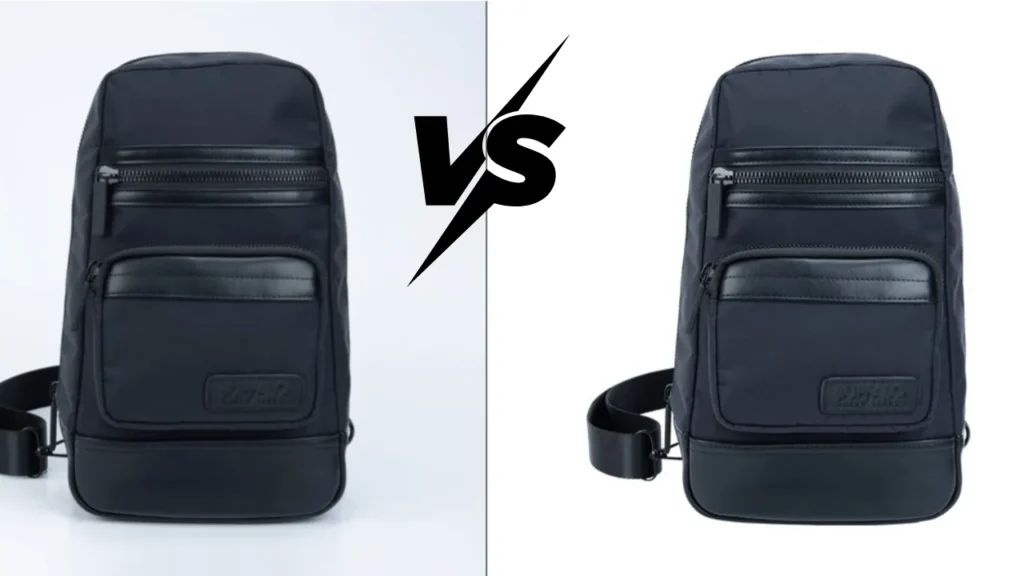
| Feature | White Background | Transparent Background |
| Marketplace Compliance | Required for Amazon/eBay | Ideal for Shopify/Social |
| Editing Flexibility | Low | Very High |
| File Format | Typically JPG | PNG, WebP, or PSD |
| Best Use Case | Main listing photos | Marketing & Branding |
Common Mistake: Saving a transparent image as a JPG. JPGs do not support transparency. They will add a white box behind your product.
How to Create Transparent Background Product Images
Method 1: Photoshop (The Professional Standard)
- Select Subject: Use AI-powered selection for a quick start.
- Select & Mask: Fine-tune your edges.
- Refine Edge: Catch stray pixels or fine details.
- Export: Save as PNG with “Transparency” checked.
Method 2: AI Tools (Quick but Risky)
Tools like Canva or Remove.bg are fast. However, they struggle with low-contrast products. AI often leaves “ghost” edges that look unprofessional on professional storefronts.
Method 3: Clipping Path (The Gold Standard)
For 100% accuracy, experts use the Pen Tool. A manual clipping path service ensures every curve is smooth. This is the only way to get pixel-perfect quality for premium items.
Common Mistakes That Kill Product Image Quality
- Using JPG instead of PNG: This loses the transparency layer entirely.
- Overusing AI tools: Jagged edges make products look “cheap.”
- Ignoring Shadows: Floating products look fake. Pair your cutout with a professional shadow creation service.
- Inconsistent Catalog Editing: Different edge styles across your store hurt brand trust.
🆚 AI vs. Manual Background Removal
| Feature | AI Tools | Manual Editing (Pen Tool) |
| Speed | Fast (Seconds) | Medium (Minutes) |
| Accuracy | Low on complex items | High (100% Precision) |
| Consistency | Poor | Excellent |
| Best For | Social Media / Mockups | E-commerce Storefronts |
Advanced Techniques: Beating the Competition
When a standard cutout isn’t enough, we use advanced layering. For items like hair, fur, or semi-transparent clothing, a professional image masking service is required to isolate every fine strand.
Handling Glass and Reflections
Transparent products (like wine glasses) are tricky. You must preserve the object’s transparency. Only manual editing can maintain this realism.
Background Removal Cost (DIY vs. Agency)
Doing it yourself steals hours from your marketing.
- Freelancers: Can be hit-or-miss with deadlines.
- Agencies: Offer consistent quality at a massive scale.
- Bulk Pricing: Professional results often start as low as $0.25 per image.
Transparent Backgrounds at Scale: The Workflow
Bulk brands rely on background removal services to handle 100 to 10,000 images.
- Image Upload: Secure system for high-volume transfers.
- Task Distribution: 175+ designers assigned to specific categories.
- Quality Control: Every image is checked at 200% zoom.
- Final Export: Delivery in your preferred format (PNG, WebP, etc.).
Quality Checklist
200% Zoom Test: Are the edges smooth or pixelated?
Background Swap: Test on both dark and light backgrounds.
Edge Softness: Use a 0.5px feather to make it look “real.”
Shadow Realism: Ensure the product doesn’t look like it’s floating.
Why Choose a Professional Background Removal Service?
Consistency is the key to brand trust. We provide:
- Handmade Precision: No automated AI errors.
- Massive Capacity: 4,000+ images per day.
- Fast Turnaround: 6 to 24-hour delivery.
- Unlimited Revisions: We aren’t happy until it’s perfect.
Related topics you can visit:
- How to Choose Photo Editing Services for eCommerce, Photography & Business
- E-commerce Product Photography: 50 Real Examples + Proven Tips
FAQ
What is the best format for e-commerce images?
WebP is best for speed, while PNG-24 is the standard for high-quality transparency.
Can I use transparent images on Amazon?
Main images must be on pure white. However, transparent images are great for lifestyle slides.
How long does background removal take?
Professional services usually deliver within 6 to 24 hours.
Is clipping path better than AI?
Yes. Manual clipping paths provide 100% accuracy that AI cannot match.
Why do my product images look blurry after background removal?
This often happens when using low-quality AI or incorrect export settings. Manual editing preserves sharpness.
Can I use transparent images on Shopify?
Yes, Shopify fully supports PNG and WebP for a seamless store design.
What is the difference between PNG-8 and PNG-24?
PNG-24 supports millions of colors and better transparency than PNG-8.
Conclusion
Transparent background product images are a conversion tool, not just a design choice. In 2026, quality is what separates a click from a bounce. Don’t let “AI ghosts” ruin your reputation.
Start your FREE trial today and get your first images edited within 24 hours—no risk, no commitment. Experience the professional difference and watch your sales grow!